The App – Faster Betting, Anywhere, Anytime
With the no88 App you can reach the whole slots lobby, live casino, football betting and deposits/withdrawals in just a few taps. No browser, no link to remember – your account is always within reach.
- Safe APK
- SSL Secured
- 24/7 support
- Android 8.0+
- MoMo & ZaloPay
- 18+
- Live Casino
- Free
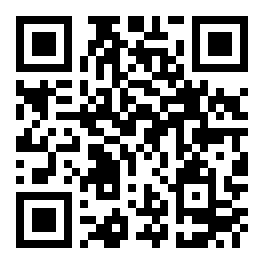
Scan QR to download the App
no need to type any link
App permissions & security
Before downloading the APK, it's good to know what permissions the app requires. no88 App only asks for what it needs to run — no data is collected beyond betting purposes.
Network access
The app needs an internet connection to fetch real-time odds, stream live dealer video, and process deposits/withdrawals. Without a connection, it runs in a minimal offline mode (bet history only). All data is encrypted via HTTPS with an SSL certificate.
Storage
Installation size is 52 MB. The app saves game cache to internal storage to speed up future loading. You can clear the cache anytime from Phone Settings > Apps > no88. The app does not write to your photos or personal documents.
Camera (optional)
Camera access is only requested when you actively complete identity verification (KYC) by photographing your ID card or passport. This step is required before your first withdrawal as per regulations. The app never accesses the camera while you're playing games or placing bets.
APK file origin
Only download the APK from the official link /download/no88.apk on this page. APK files circulating on social media or third-party stores may have been modified and could contain malware. Every official release carries a digital signature from the publisher — your Android device will warn you if the signature is invalid.
App vs. mobile browser
Both channels share the same account and balance. The main differences come down to loading speed, push notifications, and the touchscreen experience.
If you mostly bet on your phone, the App is the clear choice. On desktop, the browser works just as well.
What's inside the app?
From slots to live football, the App packs the whole entertainment lobby into one lightweight interface — no switching between apps.
Slots & Reels
Over 2,500 slots from JILI, JDB, CQ9, Pragmatic Play, Playtech and Ezugi. Filters by RTP, provider and jackpot size help you find the right game in seconds. Minimum bet from 1,000 ₫, so any budget works.
Live Casino
Live dealer tables stream 24/7 with real Vietnamese-speaking dealers. The Ezugi and Pragmatic Play lobbies cover Baccarat, Roulette, Blackjack and Tài Xỉu. Video lag stays under 2 seconds on an ordinary 4G connection thanks to adaptive buffering.
Football Betting
Follow V-League, Premier League, Champions League and 30+ other competitions right inside the App. Asian handicap, 1X2 and correct score markets update continuously. Bet in-play with odds that move with the live action.
Crash & Tài Xỉu
Fast-paced games like Crash, Plinko and Xóc Đĩa are made for playing on the go. Rounds wrap up in a few dozen seconds and you decide when to cash out. Minimum bet 2,000 ₫ on Plinko (JILI), with published, transparent RTP.
Deposits & Withdrawals
Top up via MoMo, ZaloPay, VNPay or bank transfer (BIDV, Vietcombank, ACB, MB Bank) right in the App. Minimum deposit 120,000 ₫, processed within 5 minutes. Minimum withdrawal 190,000 ₫, completed in 26 minutes under normal conditions.
Notifications & Promotions
The App sends push alerts for new promotions, when your withdrawal is approved, or when a match you follow is about to kick off. Turn each type on or off in your account settings without affecting the others.

Two popular games on the no88 App – try them right after installing:


Version info & system requirements
Before downloading, check that your device meets the minimum requirements below to avoid installation errors.
Tested devices
- Samsung Galaxy A-series (Android 11+)
- Xiaomi Redmi & POCO (MIUI 12+)
- OPPO Reno & A-series
- Vivo Y-series & V-series
- iPhone & iPad: use the Safari PWA
Step-by-step Android APK install guide
The whole process takes about 3 minutes. The key step is enabling "Unknown sources" – skip it and your device will block APK installs from outside Play Store.
-
01
Enable "Unknown sources" on Android
Go to Settings → Security & privacy → Install unknown apps (the menu name varies by manufacturer: "Unknown sources", "Special access" or "Install from other sources"). Find the browser you used to download the file and allow it. Once the install is done, you can switch this off again to stay secure.
-
02
Download the no88.apk file to your phone
Tap the "Download APK" button on this page or scan the QR code. The
no88.apkfile is 52 MB and will be saved to your Downloads folder. It takes about 20–30 seconds on a normal 4G connection. Don't download it from any other source — a modified APK is a real risk. -
03
Open the APK file and confirm the install
Pull down the notification bar and tap the file you just downloaded, or open the File Manager → Downloads and find
no88.apk. Android shows a permissions screen – tap "Install" to continue. Installation takes 15–30 seconds and needs nothing else from you. -
04
Open the App and log in to your account
When the install finishes, the no88 icon appears on your home screen. Tap it to open, then choose Log In if you already have an account, or Register to create a new one. Your balance and full betting history from the web version are all there as soon as you log in.
-
05
Make your first deposit to claim the bonus
Open Deposit in the App and pick MoMo, ZaloPay, VNPay or a bank transfer. The minimum deposit is 120,000 ₫ and the money lands in your account within 5 minutes. Your first deposit earns an extra top-up under no88's current welcome offer – see the Promotions section in the App for details.
iPhone & iPad users
iOS won't install APK files. Instead, add the no88 site to your home screen as a web app (PWA) – the layout and speed are on par with the native App.
- 1Open Safari (it has to be Safari, not Chrome or Firefox) and go to no88.store.
- 2Tap the Share icon (the box with an arrow pointing up) in Safari's bottom toolbar.
- 3Scroll down and choose "Add to Home Screen", name it "no88" and tap Add.
- 4The no88 icon now sits on your home screen. Tap it to open the site full screen, with no Safari address bar.
- Version
- 2.1.6
- File size
- 52 MB
- Deposit
- 5 minutes
- Withdrawal
- 26 minutes
Related pages
In-App payments
- MoMo Deposit 5 min · Withdrawal 26 min
- ZaloPay Deposit 5 min · Withdrawal 26 min
- VNPay Deposit 5 min · Withdrawal 26 min
- Bank transfer Deposit 5 min · Withdrawal 26 min
Troubleshooting no88 App installs
Most install errors are simple and can be fixed in 2 minutes. Check the table below before contacting support.
If you hit an error that isn't in the table above, screenshot the error message and send it to the no88 support team via 24/7 live chat in Vietnamese.
User questions about no88 App
The most common questions about downloading, installing, securing and using the no88 App day to day.
01 Is the no88 APK safe to install?
Yes, as long as you download it from the exact address no88.store/download/no88.apk on this page. The official APK carries a digital signature from the publisher – Android will flag it right away if the signature doesn't match. The App only requests the permissions it needs: network, cache storage and camera (optional, for identity checks). It does not access contacts, messages or GPS location. You can review the permission list any time under Settings → Apps → no88 → Permissions.
02 I've already enabled "unknown sources" but still can't install – what now?
On Android 8.0 and above, the "unknown sources" permission must be granted separately for each app you use to download. This means if you download the file using Chrome, you need to enable the permission for Chrome specifically — not for any other browser. Go to Settings → Apps → Chrome → Install unknown apps and toggle it on. If you're using Samsung Internet or Firefox to download, do the same for that app. Then tap the APK file in your Downloads folder to install.
03 How do I update no88 App to the latest version?
no88 App doesn't update automatically through CH Play since it's a sideloaded APK. When a new version is available, the app will show a notification on the home screen with an "Update Now" button. You can also go to Account → App Version to compare your current version number with the one listed on this download page. To update: download the new APK from this page and install it over the existing version — no need to uninstall first, your balance and betting history will stay intact.
04 Can iPhone users use no88 App?
iOS doesn't allow APK files to be installed outside the App Store. However, you can open no88.store in Safari and add it to your home screen (tap Share → Add to Home Screen). This progressive web app (PWA) runs in full-screen mode without an address bar and supports all features including deposits and withdrawals via MoMo and ZaloPay. The experience is very close to the native Android app.
05 Can I use my existing web account on the App?
Yes, the same account works across the Android app, the iOS PWA, and desktop browsers. Your balance, transaction history, betting history, and VIP level all sync in real time. You can place a bet on the app and then check the result on your computer — no extra steps needed. If you don't have an account yet, tap register here to get set up in just a few minutes.
06 Is there any charge to download or use no88 App?
Downloading and installing the APK is completely free. no88 doesn't charge any account registration fee or monthly maintenance fee. The APK file is 52 MB — you only pay for mobile data on the initial download if you're on 4G instead of Wi-Fi. During gameplay, the app uses less bandwidth than a browser because it caches resources locally. no88 charges 0 transaction fees on deposits and withdrawals — any transfer fees, if applicable, are charged by your bank or e-wallet.
07 If I uninstall the App, will my account and balance be lost?
No. Your no88 account is stored on our servers, not on your device. Uninstalling the app only removes the application files and cache from your phone — it has no effect on your balance, betting history, VIP level, or any other account data. Once you reinstall the app and log back in, everything will be exactly as you left it. Feel free to uninstall to free up storage space at any time without worrying about losing funds or progress.
no88 App is for users aged 18 and above only. By installing and using the App, you confirm you meet the legal age requirement. If gambling is causing issues in your life, please read our Responsible Gaming guide. Deposit limits and self-exclusion tools are available under Account Settings. · 18+ · Responsible Gaming